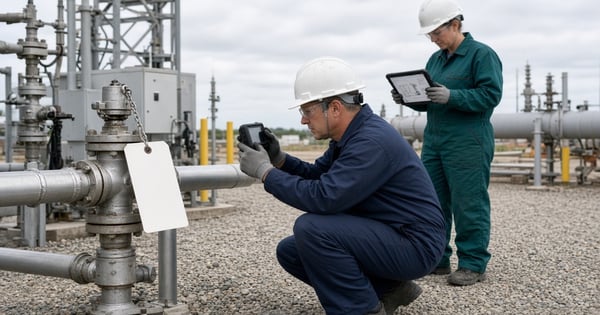
Oil and gas teams evaluating LDAR software need more than a place to store survey results. They need a system that keeps scheduling, field capture, documentation, repair tracking, and reporting connected.
Inspection routes live in one spreadsheet. Leak tags live in another. Repair status moves through email, contractor reports, and shared drives. When an auditor or program manager asks whether a leak was first attempted on time, the answer may require reconstructing a trail rather than retrieving one.
This guide explains how to evaluate LDAR software against the work that matters: completing inspections, managing repairs, and retaining records that can be retrieved when compliance and operations teams need them.
At a glance
- What LDAR is: Leak detection and repair: identify leaks from equipment components, repair them on required timelines, and keep the records that prove the work happened.
- What the software does: Supports inspection planning, field data capture, leak documentation, repair tracking, reporting, and program oversight.
- Who needs it: Teams running recurring monitoring, repair, and recordkeeping across facilities where spreadsheets and disconnected tools create compliance and operational risk.
- Key distinction: An LDAR program is the regulated work practice. LDAR software is the system used to execute and evidence that work.
- How to evaluate: Test the path from scheduled inspection through leak documentation, repair assignment, recheck, and report-ready records, not dashboards alone.
What is LDAR?
LDAR stands for leak detection and repair. It is a work practice used to identify leaks from equipment components, repair those leaks on required timelines, and keep records that show the monitoring and repair work was completed.
In oil and gas, LDAR usually focuses on fugitive emissions from components such as valves, connectors, pumps, compressors, and related equipment. Teams monitor components on a schedule, document findings, assign repairs, recheck where required, and retain evidence for internal oversight and regulatory review. Identifying a leaking component is not the same job as quantifying emissions for an inventory. For a closer look at the equipment sources involved and how fugitive emissions are measured and reported, see our guide to fugitive emissions in oil and gas.
EPA describes LDAR as a practice designed to identify leaking equipment so emissions can be reduced through repairs, with components monitored at regular intervals and leaking components repaired or replaced within a specified time frame (EPA LDAR Best Practices Guide).
A simple way to remember the work:
- Detect leaking components using the methods your rules require.
- Document where the leak was found and how it was identified.
- Repair within the applicable first-attempt and final-repair windows.
- Recheck when the program requires verification.
- Retain the evidence so the trail can be reconstructed later.
Detection methods and required records vary by the governing rule and site. Common approaches include audio-visual-olfactory (AVO) inspections, optical gas imaging (OGI), and EPA Method 21. There is no single acceptable method for every LDAR program. What matters for software evaluation is whether the system can document the method your rules require, preserve the finding, and support the repair and recheck path that follows.
If you already understand the work practice and are evaluating systems, skip ahead to What is LDAR software?.
What is LDAR software?
LDAR software helps organizations plan, execute, document, and manage leak detection and repair activities across assets, facilities, and teams.
In oil and gas, that usually means supporting field inspections, capturing findings, routing repairs, tracking deadlines, and preserving the records needed for internal oversight and regulatory reporting. Buyers may also see the category labeled as fugitive emissions software. The work overlaps with environmental compliance software, emissions management software, and broader EHS management software, but the buying decision is more specific: the system has to work for technicians in the field and for program managers reconciling incomplete work before the next reporting cycle.
LDAR program vs. LDAR software
An LDAR program is the work practice itself: identify components, monitor them, repair leaks, and retain records.
LDAR software is the operational system used to support that program. It does not replace monitoring methods, trained technicians, or regulatory judgment. Its purpose is to keep inspection schedules, findings, repair status, and supporting records available to the people responsible for the program.
|
Concept |
What it is |
What buyers should ask |
|---|---|---|
|
LDAR program |
The regulated work practice: identify components, monitor, repair, retain records |
Which rules, methods, frequencies, and repair timelines apply at each site? |
|
LDAR software |
The system that schedules work, captures field data, tracks repairs, and supports reporting |
Can the platform support our actual inspection-to-repair workflow without recreating it in spreadsheets? |
|
Detection method |
How leaks are found (for example AVO, OGI, or Method 21, depending on the applicable rule) |
Does the software support documenting the method and evidence our rules require? |
Who uses LDAR software?
Typical users include:
- field technicians completing inspections and documenting findings
- LDAR or air program managers assigning work and monitoring overdue repairs
- environmental compliance teams preparing records and reports
- operations leaders who need visibility across sites without rebuilding status from email
- contractors performing surveys where the operator still owns the compliance record
Common workflows
Most LDAR software evaluations should map to a familiar sequence:
- Identify components or inspection scope in the program.
- Schedule monitoring by facility, route, method, or regulatory cadence.
- Capture inspection results in the field, including findings and supporting evidence.
- Document leaks and create follow-up work.
- Track first attempt, final repair, delay-of-repair status, and re-inspection where required.
- Review open items, exceptions, and incomplete documentation.
- Produce management dashboards and regulatory or internal reports from governed records.
If a platform only handles survey data entry well, buyers still have to ask what happens after a leak is found. That is often where programs lose control.

Figure 1: Evaluate the full path from scheduled inspection through repair closeout and report-ready evidence.
See an LDAR workflow in practice
Watch Validere's LDAR software demo for a concise look at leak documentation, repair task management, and program tracking in the mobile and web app.
Use the video as a preview, then pressure-test the same workflow in a live demo with your facilities, methods, and exception cases.
Why organizations invest in LDAR software
The difficulty in managing an LDAR program often lies in coordinating inspections, repairs, deadlines, and records across different teams and systems.
EPA's LDAR best practices guidance discusses common program-management failures and recommends electronic monitoring and storage of LDAR data as part of a stronger model program (EPA LDAR Best Practices Guide). That guide is useful for program design. It is not a statement of every current oil and gas requirement. The guidance highlights why inspection records and repair follow-through need to be managed together.
Paper forms and ad hoc digital notes slow the handoff from field to office. Photos get separated from leak IDs. Incomplete forms get discovered after the crew has left the site. Program managers spend time chasing clarification instead of managing deadlines.
Finding a leak is only the start of the obligation. EPA’s NSPS OOOOb includes fugitive emissions monitoring and repair requirements for certain affected oil and gas facilities. How site classification, survey method, and repair follow-through fit together is covered in NSPS OOOOb fugitive emissions monitoring. The operator still has to determine which requirements apply before evaluating whether software can support the work. When the repair path is split off from the survey, a completed round can still leave the obligation open.
Documentation quality creates a second failure mode. Two technicians can inspect similar equipment and leave records that look nothing alike. Missing method details, incomplete attachments, and unclear repair notes all weaken the claim the organization may need to defend later.
Audit prep often exposes the real process. Teams gather monitoring plans, survey results, repair histories, delay-of-repair justifications, and recheck evidence from multiple repositories. The more fragmented those sources are, the more the program depends on institutional memory.
A spreadsheet may be workable for a small, relatively stable program. As the number of facilities, contractors, and monitoring obligations grows, maintaining a reliable view of overdue work and repair status becomes more difficult. Corporate teams need comparable status across sites, while local teams need forms and schedules that reflect local equipment and regulatory applicability. For multi-site operating models beyond LDAR alone, see EHS management software for multi-site energy operators.
|
Spreadsheet program |
Modern LDAR platform |
|---|---|
|
Paper or ad hoc digital inspections |
Mobile inspections with required fields |
|
Repair status tracked in email |
Workflow tasks with owners and deadlines |
|
Manual report assembly before deadlines |
Live dashboards tied to source records |
|
Multiple systems and shared drives |
Connected environmental workflows |
|
Difficult audit reconstruction |
Audit-ready inspection and repair records |

Figure 2: Spreadsheet-era LDAR work versus a modern platform that keeps inspections, repairs, and evidence connected.
Key capabilities to evaluate in LDAR software
Evaluate the software against three parts of the LDAR workflow.
1. Complete the inspection
Scheduling should match the monitoring cadence your rules and sites require, including routes, due dates, contractor coverage, and overdue work managers can see before a reporting deadline.
Technicians need to complete inspections, attach evidence, and submit records without unnecessary steps. If required fields are unclear or attachments will not stick to the leak ID, people will work around the system.
Offline capture matters when connectivity is unreliable. Ask what happens when a technician opens a task offline, completes the form, attaches evidence, and syncs later.
Custom forms matter when AVO, OGI, Method 21 documentation, consent-decree fields, or state-specific obligations need different validations without a long services project for every change.
2. Manage what happens next
When a leak is found, the record should preserve enough context for repair and later review: location, method, who found it, evidence, and required follow-up.
Repair tracking needs to preserve the sequence from leak detection through repair completion and any required verification, including assignment, status, notifications, and delay-of-repair documentation. Deadlines come from the applicable rule or program. Do not assume one first-attempt or final-repair clock fits every site.
Oversight views should show overdue inspections, open leaks, missing evidence, and sites that are not ready for reporting or audit review. Ask whether a dashboard can open the underlying inspection or repair record.
3. Maintain defensible records
Inspection and repair records should retain the information needed to reconstruct what happened, when, and who was responsible. Electronic storage alone does not make a program compliant or audit-ready.
Multi-site operators need facility-level execution and portfolio-level oversight, with permissions and enough configurability for different equipment mixes.
LDAR findings may also be needed for corrective actions, compliance reporting, and emissions-related work. The buying test is whether the leak and repair history remains retrievable when those teams need it.
|
Capability |
Why it matters |
What to verify in a demo |
|---|---|---|
|
Mobile inspections |
Field teams determine whether data enters the system of record |
Complete a realistic survey on a phone or tablet |
|
Offline capture |
Remote sites cannot depend on continuous connectivity |
Open, complete, and sync a task with no network |
|
Scheduling |
Missed monitoring windows create immediate compliance risk |
Show overdue work, reassignment, and recurring surveys |
|
Custom forms |
Rules and methods differ by site and obligation |
Adapt a form for AVO vs. another inspection type |
|
Leak documentation |
Incomplete findings create weak repair and audit records |
Capture a leak with evidence and required identifiers |
|
Repair tracking |
Detection without follow-through fails the work practice |
Assign, update, and close a repair with chronology preserved |
|
Dashboards and reporting |
Managers need actionable status, not vanity metrics |
Drill from dashboard tile to source inspection or leak record |
|
Audit readiness |
Regulators and auditors ask for evidence trails |
Reconstruct one leak from discovery through closeout |
|
Multi-site management |
Portfolios need governance without erasing local differences |
Switch between site and portfolio views with permissions |
|
Connected workflows |
Isolated LDAR data loses value outside the survey team |
Show how findings relate to corrective actions or reporting |
Where Validere fits in an LDAR evaluation
Validere supports LDAR workflows through mobile and offline field data capture, configurable forms, leak documentation, repair task management, and program dashboards. These capabilities can be used alongside broader environmental compliance and emissions workflows.
When evaluating Validere, ask to see how the platform handles your inspection methods, repair responsibilities, contractor access, and reporting requirements. Confirm which workflows are supported directly and where configuration or integration may be required. Software helps execute and evidence the work. It does not determine applicability or guarantee compliance.
Which LDAR software is right for your organization?
There is no universal best platform. Fit depends on how much work happens after the survey and how many people, sites, and systems that work touches. These needs often overlap inside one product. Treat the rows below as capability priorities, not as separate software classes.
|
If your primary need is… |
Capabilities to prioritize |
|---|---|
|
Digitizing inspections |
Mobile forms, scheduling, offline capture, and reliable field records |
|
Managing LDAR compliance workflows |
Repair tracking, deadline management, exception handling, and record retention |
|
Connecting environmental processes |
Data integration, corrective-action workflows, emissions data handoffs, and cross-site oversight |
 Figure 3: Prioritize foundational LDAR capabilities first, then scale and connected-workflow value.
A focused LDAR tool may be enough when:
- inspection schedules are stable and ownership is clear
- a small crew or single contractor runs most surveys
- repair status is already visible without weekly reconstruction
- findings rarely need to travel into emissions, compliance packages, or multi-team corrective action
Facility count alone does not decide fit. A small site with complex repair handoffs or audit pressure may still need stronger workflow connection.
Look for platforms that keep LDAR data usable across environmental work when:
- multiple sites, methods, owners, or contractors share the same program
- findings feed compliance packages, emissions discussions, corrective actions, or maintenance follow-up
- auditors, consent-decree reviewers, or voluntary methane programs need evidence beyond the survey team
- program managers cannot see incomplete work until reporting week
That is where disconnected systems create the most hidden work. A survey may be complete while other teams still rebuild the same story from exports and email.
Use this framework to shortlist vendors before demos begin. Then test the inspection-to-repair path with your actual methods, not a generic product tour.
Questions to ask every LDAR software vendor
Use these questions to compare platforms against production reality rather than polished category language.
Program fit
- Which LDAR or fugitive monitoring workflows can you demonstrate with our facility types and inspection methods?
- How do you handle differences between federal, state, consent-decree, and internal program requirements?
- What remains manual after the software is implemented?
Field execution
- How does offline mode work in practice, including attachments and conflict handling after sync?
- Can technicians complete inspections with the validations and required fields our program needs?
- How are photos, videos, and other attachments linked to the specific leak or inspection record?
Repair and exception handling
- Show the full path from leak discovery to repair assignment, deadline tracking, escalation, and closeout.
- How are delay-of-repair cases documented and reviewed?
- What happens when a re-inspection fails or required evidence is missing?
Oversight and evidence
- Can a program manager see overdue inspections and open leaks across multiple sites in one view?
- Can we reconstruct the evidence trail for a selected leak without leaving the platform?
- Who can edit historical records, and how are changes retained?
Configuration and ownership
- Which form, workflow, and report changes can our team make without vendor services?
- How can contractors complete inspections and submit evidence while the operator retains access to the records and controls the approval process?
- What does ongoing administration look like after go-live?
Adjacent systems
- How does LDAR data connect to environmental compliance, emissions management, or corrective-action workflows?
- What integrations are commonly used, and what is the maintenance model for those connections?
Ask vendors to demonstrate an incomplete inspection, a missing attachment, an overdue repair, and a failed recheck. These scenarios reveal how the system handles exceptions that a standard product demonstration may not cover.
For adjacent evaluation questions across broader energy EHS programs, use questions to ask before choosing EHS management software.
Implementation considerations
Implementation success depends on process maturity, contractor model, facility count, and regulatory mix.
Start from the current work practice, not the desired dashboard. Map how inspections are assigned today, who owns repairs, where records live, and which reports are produced. Before configuration begins, establish who assigns inspections, owns repairs, approves closeout, and maintains the records.
For the initial rollout, prioritize scheduling, field capture, leak documentation, repair tracking, and the reports program managers need to produce. Expand into adjacent workflows once those processes are working reliably.
Design for field conditions early. If offline use, form length, photo capture, or contractor access is treated as a later enhancement, adoption suffers. Involve technicians and supervisors in form design before rollout.
Decide what "done" means for records before go-live: required fields, attachment expectations, QA/QC checks, and closeout criteria. Otherwise teams recreate incomplete documentation inside a new system. Confirm who will own forms, user access, schedule templates, and report logic after the vendor leaves. Settle that during selection, not after kickoff.
For phased rollout patterns, governance, and change control across oil and gas EHS programs, see how to implement EHS software across oil and gas operations.

Figure 4: Stabilize the core inspection-to-repair path before expanding into adjacent environmental workflows.
From leak finding to reports and inventories
The survey is not the end of the work. It is often the start of several handoffs.
When a technician records a leak, that inspection record should remain available to whoever owns the repair, verifies completion, and prepares the relevant compliance records. Otherwise each team rebuilds part of the history from exports, email, and shared drives.
A concrete path
- A technician documents a leaking connector during a scheduled survey, with method, location, and photo attached.
- A repair owner receives the task, records the first attempt and final repair under the applicable program timeline, and completes any required recheck.
- A compliance or emissions teammate later needs that history for a report, inventory question, or audit request.
If step 3 means opening three systems and reconciling dates by hand, the organization does not only need better survey entry. It needs the leak and repair chronology to stay governed.
When an inspection finding is used in an emissions inventory or reporting process, the receiving team should be able to trace it back to the original observation, any repair activity, and the supporting records. The inspection record can establish that a leak was observed and document subsequent repair activity, but it does not necessarily establish the quantity of emissions released. An LDAR finding can inform fugitive emissions and inventory discussions; it does not automatically become a measurement-based methane inventory entry under frameworks such as OGMP 2.0.
Voluntary methane frameworks such as OGMP 2.0 are adjacent, not identical. They may use LDAR evidence as one input among others. They do not turn every leak tag into a quantified inventory value. Other federal, state, consent-decree, and internal programs can also impose different methods and clocks than the ones your software demo assumes. Start evaluation from the obligations you actually run.

Figure 5: LDAR findings should remain usable across compliance, emissions, corrective actions, audit evidence, and reporting.
Choosing LDAR software around the work that needs to be done
The best LDAR software does not simply record inspections. It helps organizations manage detection, documentation, repair, and evidence so the record is still usable when compliance, operations, or reporting teams need it.
Shortlist vendors on the path that creates risk today: field completion under real connectivity constraints, early visibility into incomplete work, repair chronology an auditor would expect, and report-ready records without a spreadsheet side process.
For organizations that want to see how Validere supports LDAR in practice, public materials describe mobile and web workflows for leak documentation, repair task management, and program tracking, with connections into broader environmental compliance and emissions work. Watch the LDAR software demo or request a live demo to pressure-test that path against your facilities, methods, and exception cases.
Frequently asked questions
What is LDAR?
LDAR stands for leak detection and repair: identify leaks from equipment components, repair them on required timelines, and keep records that prove the work happened. In oil and gas, programs usually focus on fugitive emissions from components such as valves, connectors, pumps, and compressors.
What is LDAR software?
LDAR software helps teams schedule inspections, capture field results, document leaks, track repairs, and retain evidence for oversight and reporting. It supports the work practice. It does not replace monitoring methods, trained technicians, or regulatory judgment.
What is the best LDAR software?
There is no single best platform. Fit depends on your methods, repair handoffs, contractor model, multi-site needs, and whether findings must travel into compliance or emissions work. Use the buyer framework above, then test the inspection-to-repair path under realistic field conditions.
Does LDAR software make us EPA compliant?
No. Software can help execute and document monitoring and repair activities required under applicable rules. Compliance still depends on applicability determinations, methods, repair practices, and recordkeeping.
How is LDAR software different from emissions management software?
LDAR software focuses on inspection and repair workflows for fugitive components and related monitoring. Emissions management software covers broader quantification, inventory, calculation, measurement response, and reporting. Many operators need both, or a platform that can connect them. See the emissions management software guide.
Does LDAR software detect or quantify methane leaks?
LDAR software typically supports inspection planning, field documentation, repair tracking, and recordkeeping. Leak detection and quantification depend on the monitoring methods, instruments, and applicable requirements. Ask vendors which detection technologies or data sources their software supports, and whether any quantification capabilities are included.